Start with substance.
Bring a brief, source material or an existing deck. Give the presentation something worth saying.
Deck Studio
Bring a brief, PDF or PowerPoint. Shape editable slides, refine the design and compare revisions while keeping the content you have already developed.
Create a presentation
DECK STUDIO
A presentation is more than a collection of slides. Shape the argument, find the visual language, and make the whole story feel considered.
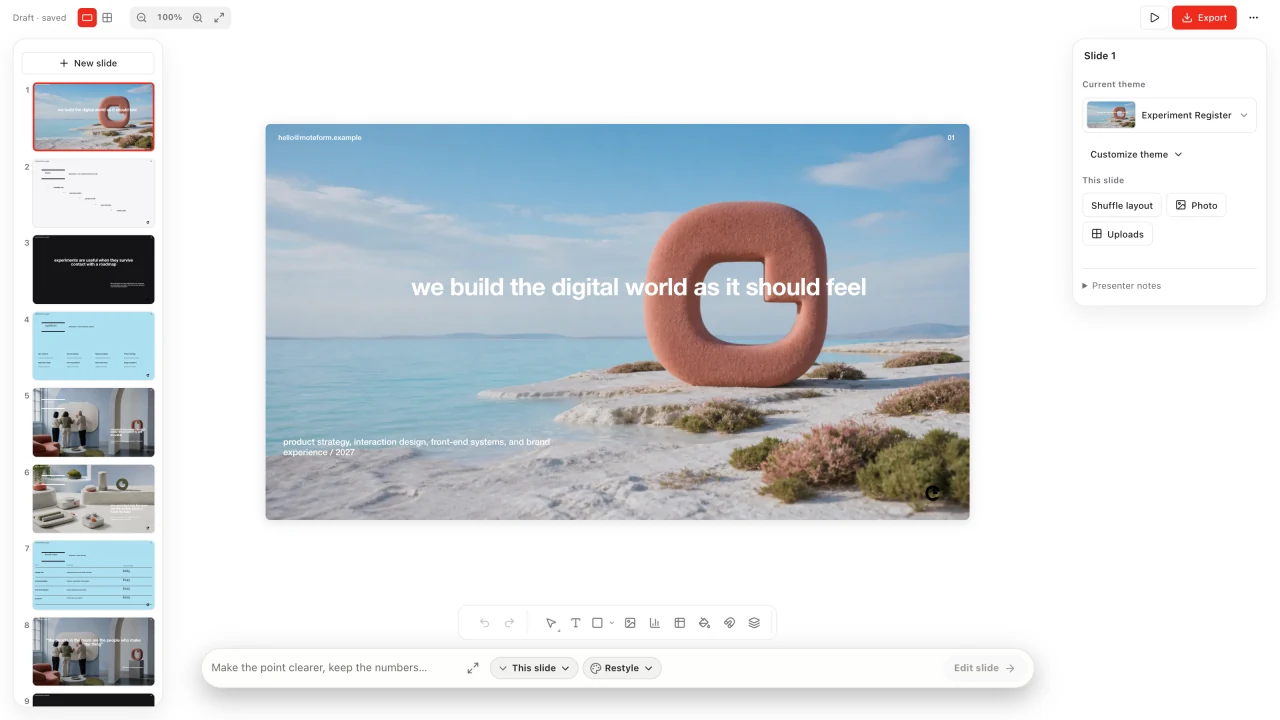
Work on the details. Text, images and layout stay within reach.
Bring a brief, source material or an existing deck. Give the presentation something worth saying.
Rewrite a headline, adjust a layout or replace an image. Refine the slide, not just the prompt.
Review the whole deck, present from your workspace, or export the finished story.
DESIGN DIRECTION
Not every story should look the same. Explore a visual direction, then make it your own.
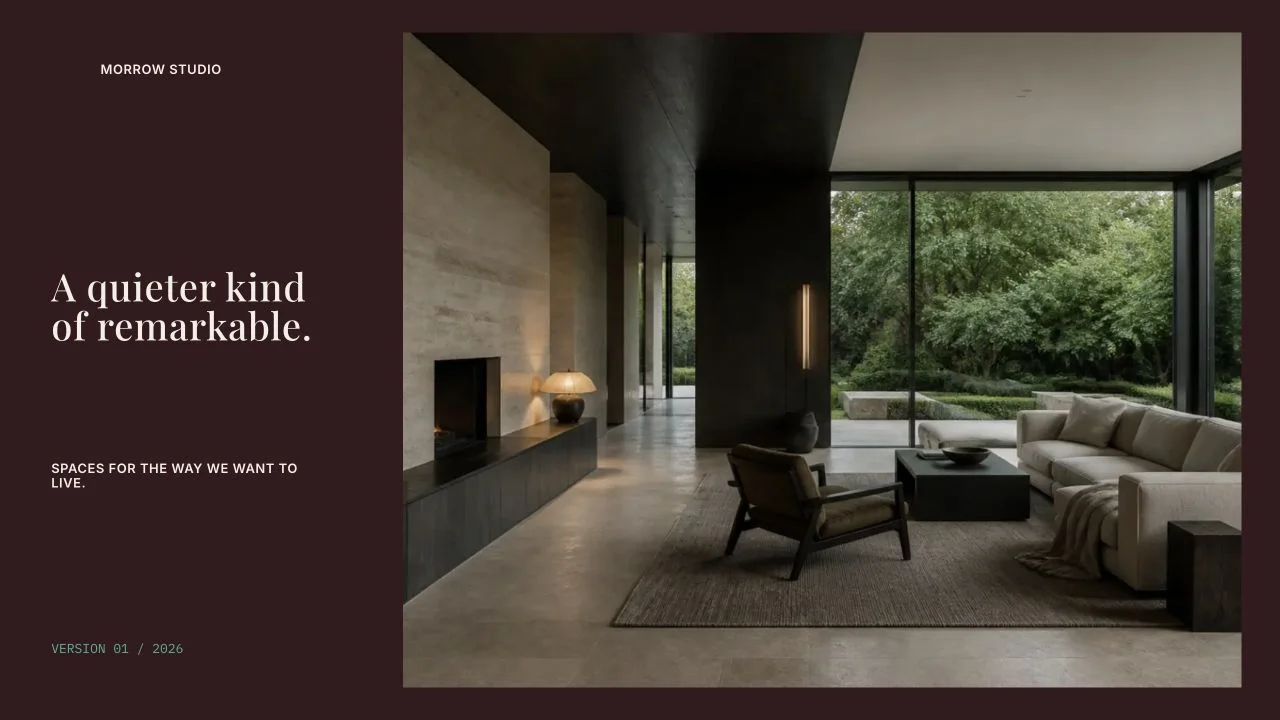
Maison. A quiet serif, architectural photography and the space to let both breathe.
Made in Deck Studio.
FROM WORKSPACE TO WHAT’S NEXT
The work should be ready for the place it’s going. Keep editing in PowerPoint, share the finished layout as a PDF, or present right from Deck Studio.
Continue the presentation workflow.
Share an appearance-locked copy.
Bring the story into the room.
FROM IDEA TO FINISHED WORK
Start with a brief, source material, PDF or PowerPoint. Set the audience and the point you want the story to land.
Edit text, images and layout at the slide level. Restyle the presentation while preserving its content, then review the new version before moving on.
Present in the workspace, export a PowerPoint for the next edit, or share the finished appearance as a PDF.
Yes. Text, images and layout remain editable in Deck Studio. Move and resize elements, replace images and refine individual slides.
Bring a PDF or PowerPoint as source material, review the imported slides, and continue the story in your workspace.
KEEP THE IDEA GOING
Deck Studio